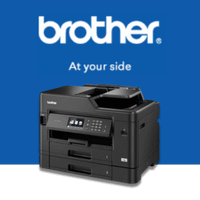
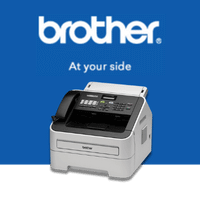
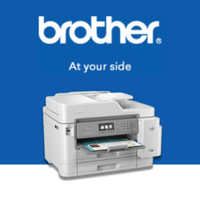
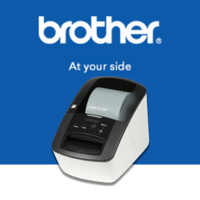
Brother printers cover a broad mix of printing needs, from straightforward everyday documents to colour printing, scanning, copying and higher-volume workloads. Whether you need a compact printer at home, a multifunction printer for a home office or something that can keep up with a busy shared environment, there are Brother models designed around different ways of working.
At CartridgesDirect, you can shop Brother laser, inkjet and multifunction printers and find the consumables needed to keep them running. Rather than choosing on price or specifications alone, it is worth considering what you print most, which functions you actually use and what ink, toner or other consumables the printer will require over time.
Brother uses several series names across its printer range. HL, MFC and DCP are among the ones you are likely to come across while shopping, and knowing the basic difference can make comparing models much easier.
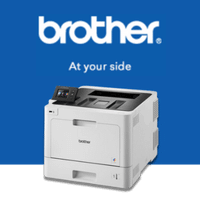
Brother HL printers are focused primarily on printing, making them worth considering when scanning and copying are not part of your routine. The range includes compact models for everyday documents as well as machines built for more regular printing.
Depending on the model, you can find mono and colour choices along with features such as wireless connectivity, automatic double-sided printing and network support. If you simply need a dependable printer without additional document functions, starting with the HL range can help narrow down your options.
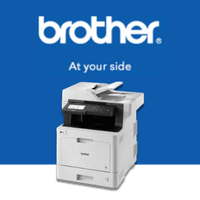
MFC models bring several document functions together in one machine. Depending on the printer, this can include printing, scanning, copying and faxing.
One important point is that MFC does not refer to a single printing technology. Brother offers both laser and inkjet models within this family. That gives you the flexibility to choose an MFC based on the type of documents you produce rather than assuming every multifunction Brother printer works in the same way.
Brother DCP models combine printing, scanning and copying without focusing on fax functionality. They can be a useful middle ground for households, home workspaces and other users who need more than printing but do not necessarily require every function available on a larger multifunction machine.
Both inkjet and laser options can be found within the broader DCP family, so check the individual model specifications when comparing your choices.
Brother offers both laser printers and inkjet printers, and the better option depends largely on what normally comes out of your printer.
Brother laser printers are worth considering when text documents make up most of the workload. Invoices, reports, forms, correspondence and other everyday paperwork are common examples. If regular document printing is the priority, a mono or colour laser model may be the better fit.
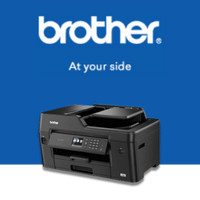
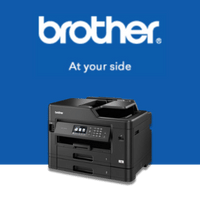
Brother inkjet printers make sense when colour plays a bigger role. They can handle everyday documents alongside graphics and other colour output, making them useful when your printing tends to be more varied.
There is no need to choose based on the technology name alone. Start with your normal printing habits, decide whether colour is important and consider how frequently the machine will be used. That will usually narrow the range more effectively than comparing long feature lists.
If you are considering a Brother laser printer, you may notice that toner cartridges and drum units are listed separately. This is an important part of understanding the consumables your printer will need.
Brother toner cartridges commonly carry a TN reference, while drum units use a DR reference. They perform different roles inside the printer and do not necessarily need to be replaced at the same time. Your supplied Brother range also reflects this separate toner and drum approach across relevant laser models.
When the toner runs out, you generally replace the toner cartridge while the existing drum remains in use until it reaches its own replacement point. The printer can indicate when each consumable needs attention.
Checking both before buying a printer gives you a clearer picture of what ongoing maintenance involves. It also helps avoid the common mistake of assuming a new drum is required every time the toner needs replacing.
Brother INKvestment is designed for supported inkjet models where users want to print more between cartridge changes. Rather than using small standard-capacity cartridges alone, the system is built around higher-capacity ink options that can reduce how frequently replacement cartridges are needed.
INKvestment should not be confused with an ink subscription. You purchase the printer and its required cartridges rather than paying an ongoing monthly fee simply to remain enrolled in the system.
If INKvestment interests you, check the specifications of the individual Brother model and the cartridges it uses. This is more useful than choosing the printer based on the INKvestment name alone, particularly if you want to understand future ink requirements before purchasing.
Brother uses different consumable families depending on the printer. Laser models may require toner and separate drum units, while inkjet models use cartridges designed for their particular printer series.
This is where model numbers matter. A printer cartridge that looks similar or has a closely related product number is not automatically interchangeable with another Brother printer.
Before ordering, check your exact printer model and match it against the consumable listing. CartridgesDirect stocks Brother ink and toner along with drum units and compatible alternatives for supported printers.
If you already own a Brother printer and are unsure what it takes, the CartridgesDirect Finder Tool can help. Search by your printer details to narrow down the appropriate consumables rather than trying to identify them from appearance alone.
Once you have decided between laser and inkjet and narrowed down the Brother series that suits you, look at the practical details that will affect everyday use.
Wireless connectivity can be useful when several devices need access to the printer, while Ethernet may matter in a shared network environment. Automatic duplex printing is worth considering if you regularly produce multi-page documents and paper capacity becomes increasingly important as print volumes grow.
For multifunction models, look beyond the fact that the printer can scan or copy. Consider how those functions work and whether they suit the jobs you regularly handle.
The point is not to find the Brother printer with every available feature. It is to avoid paying for functions that add little to the way you actually print.
Empty toner and ink cartridges do not necessarily have to go into general waste.
CartridgesDirect supports the Cartridges 4 Planet Ark program, providing a recycling option for eligible used printer consumables. Brother's separate drum units may also be eligible depending on the recycling program requirements, giving you another option when those components eventually reach the end of their usable life.
Brother's range gives you plenty of choice, but that does not mean you need the most expensive or feature-heavy machine available. A straightforward HL printer may be enough when all you need is dependable document printing. An MFC or DCP can make more sense when scanning and copying are part of your routine, while Brother's inkjet options are there when colour matters.
Browse Brother printers at CartridgesDirect and compare the models that suit the way you print. You can also find Brother ink, toner, drum units and other supported consumables in the same place, making future replacements easier to organise.
Stocked orders placed before 2pm are eligible for same-business-day dispatch, with free shipping available on eligible orders over $75.
 Service Call
 Managed Print