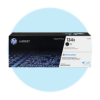
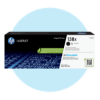

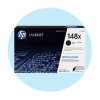


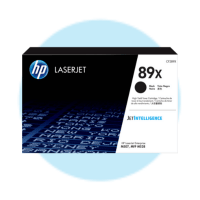


Whether you manage a bank of HP LaserJets in a shared office or you’re replacing a single cartridge in a home office printer, CartridgesDirect stocks both options: genuine HP toner and compatible alternatives, across the full LaserJet range. Every product listing includes the cartridge number, compatible printer models and page yield for both yield tiers so you can compare before you buy.
HP LaserJet printers run in more Australian offices than any other laser brand and the toner range to match them is broad. Compatible toner is available for most current and discontinued models, typically at 40 to 60 percent below the genuine equivalent per cartridge. The Finder tool matches your printer model to the right cartridge number, with genuine and compatible options alongside each other.
Genuine HP toner is manufactured by HP and formulated specifically for each LaserJet model. Colour profiles are calibrated to the printer’s laser and drum system. HP publishes page yield data tested to the ISO/IEC 19752 standard for mono and ISO/IEC 24711 for colour. For client-facing documents, legal output, colour presentations and any work where your print represents your business externally, genuine HP toner is the consistent call.
Compatible HP toner is manufactured by independent suppliers to the same cartridge number specification and ISO yield standard. Compatible toner for popular HP LaserJet models runs 40 to 60 percent below the genuine price per cartridge, wider again on high-yield X variants. For invoices, internal documents, draft copies and standard office mono printing, the output on paper is hard to distinguish from genuine. The gap shows on high-coverage colour work and on long runs of print where colour consistency across the job matters.
Under Australian Consumer Law, using compatible consumables does not automatically void your printer warranty. HP would need to demonstrate that the compatible toner caused the specific fault being claimed. CartridgesDirect has stocked compatible toner for Australian businesses since 2006.
HP Instant Ink was a subscription where HP tracked your toner levels remotely and shipped replacement cartridges automatically. You paid per page rather than per cartridge. HP has discontinued new enrolments for the toner version of this service across the LaserJet 100, 200, 3000 and 4000 series. Existing subscribers continue to receive service; new subscribers can no longer join.
The practical point for anyone cancelling: Instant Ink subscription cartridges stop working at the end of the billing cycle in which you cancel. Even if toner remains inside them. Have standard replacement cartridges ready before that date or your printer stops printing. Once the subscription cartridges are out, non-HP+ printers accept standard genuine HP toner or compatible alternatives without any further steps.
HP+ was offered during printer setup as a package of extended warranty and cloud features. Accepting it permanently locks the printer to genuine HP cartridges only. This lock cannot be reversed and it is not the same as cancelling an Instant Ink subscription. An HP+ printer that never had Instant Ink still won’t accept compatible toner.
To check HP+ status: open Settings on the printer, go to Web Services, or log into your HP account and look under the subscription tab. If HP+ is active, order genuine HP toner from the listings on this page. If it’s not active, compatible options are available for your model.
Separately from HP+, HP has rolled out Dynamic Security firmware updates to some LaserJet models that can block compatible cartridges by refusing to recognise their chips. This is distinct from HP+. It affects some non-HP+ printers. Compatible toner suppliers update their chips regularly to maintain compatibility with current firmware, but there is a lag after major firmware releases where some cartridges may trigger a recognition error. If this happens after a firmware update, contact us on live chat with your printer model and cartridge number before assuming the cartridge is faulty.
Every HP LaserJet toner cartridge has a number and a letter suffix. The number identifies which printer family the cartridge fits. The suffix identifies yield tier.
A = standard yield. Lower upfront cost, lower page count. Suits low to moderate print volumes.
X = high yield. More toner in the same physical cartridge body. Higher upfront cost, lower cost per page. Fits the same printer slot as the A version.
Y = extra high yield. Available on select Enterprise models. Highest page count, best cost-per-page for very high-volume environments.
HP 26A and HP 26X are a clean example. Both fit the LaserJet Pro M402 and M426 series. The 26A yields approximately 3,100 pages. The 26X yields approximately 9,000 pages. For an office printing 200 to 400 pages per week, that’s the difference between a cartridge change every few weeks and one every few months. The 26X costs more upfront; the cost per page is lower. At 300 pages per week, the 26X savings compound quickly across a year of printing.
Compatible HP 26A and compatible HP 26X follow the same convention. They fit the same printers, deliver the same yield tiers at the same ISO-tested page counts and cost less per cartridge than genuine. All compatible options are listed alongside genuine on each product page.
These are the HP toner cartridge families most frequently ordered through CartridgesDirect by Australian buyers:
For models not listed here, use the Finder tool to match your exact LaserJet model to the right cartridge number and yield options.
Mono LaserJet printers use a single black toner cartridge. This is the most common setup in Australian small offices. Mono laser printing delivers consistent text output at a lower cost per page than inkjet and compatible mono toner for HP LaserJet Pro models is among the most cost-effective consumable options on the market. The 85A, 26A, 48A, 58A, 94A and 17A series are all mono toner.
Colour LaserJet printers use four separate toner cartridges: black, cyan, magenta and yellow. Each replaces independently when it runs low. Colour laser toner costs more per set than mono and genuine colour toner carries a significant price premium over compatibility. For small offices printing colour regularly for internal purposes rather than client output, compatible colour toner for HP LaserJet Pro models is worth a direct price-per-page comparison against genuine before ordering.
Colour LaserJet Pro models in the M400 and M450 range integrate toner and drum into a single cartridge. Larger Enterprise models typically use separate toner and drum components on different replacement cycles. The product listing on CartridgesDirect for each model specifies what the full consumable set includes.
The A vs X question is the one HP LaserJet buyers ask most. The answer is based on weekly print volume, not upfront budget.
To run the calculation yourself: take the cartridge price on the product listing and divide it by the ISO page yield. That’s your cost per page. Compare the A and X versions of the same cartridge number, then compare genuine against compatible. All figures are on the product pages. For the HP 26X compatible, for example, the cost per page at 9,000 pages typically works out at roughly a third of the genuine 26A cost per page.
HP’s LaserJet model numbers run into the hundreds. The structure by range:
The model number on the front of your printer is the fastest starting point. Enter it into the Finder tool and it returns every confirmed consumable for that device.
CartridgesDirect is a Cartridges 4 Planet Ark partner. A free postage-paid recycling satchel is included with every eligible cartridge order. Collect a minimum of eight empty cartridges, seal the satchel and drop it at any Australia Post roadside mailbox. Cartridges are returned to and processed by Close The Loop, who strip and recycle the materials.
Check the cartridge number on your current toner cartridge or inside the toner bay door. It will be in a format such as HP 26A, HP 58X or HP 85A. Search that number on CartridgesDirect's HP ink cartridges range and you will find both genuine and compatible options listed together. If you do not have an empty cartridge to hand, enter your printer model into the Finder tool and it returns every confirmed toner with yield and pricing for both options. For colour LaserJet printers, check whether your model uses integrated toner-and-drum cartridges or separate components, as the product listing differs.
Same printer, different page count. HP 26A and HP 26X both fit the LaserJet Pro M402 and M426 series. The 26A is standard yield at approximately 3,100 pages, and the 26X is high yield at approximately 9,000 pages. The 26X costs more upfront but delivers a lower cost per page, and for offices printing over 200 pages a week, the 26X is the better financial choice. The same A versus X logic applies across the range, including 58A versus 58X, 80A versus 80X and 87A versus 87X.
Genuine toner is manufactured by HP, calibrated to each LaserJet model and covered by HP's own yield testing. Compatible toner is made by independent suppliers to the same cartridge number specification and ISO page yield standard, at a meaningfully lower cost per cartridge. For mono office printing, invoices, internal documents and standard text output, compatible produces results that are hard to distinguish from genuine on the page. Genuine earns its place on colour-critical work, client-facing output and high-coverage print runs where colour consistency across the job matters.
Under Australian Consumer Law, it does not automatically. HP would need to demonstrate that the compatible toner caused the specific fault being claimed, not simply that a third-party product was installed. CartridgesDirect has supplied compatible HP toner to Australian businesses since 2006. Three things to check separately: HP+ activation, since compatible toner will not work at all on HP+ printers, managed service contracts that specify genuine consumables, and recent HP firmware updates that may affect chip recognition on some models.
No, HP+ permanently locks the printer to genuine HP cartridges only. This cannot be reversed by any supplier, firmware rollback or cartridge workaround. If HP+ is active on your printer, order genuine HP toner from the listings on this page. To check whether HP+ is active, go to Settings > Web Services on the printer, or log into your HP account and look under the subscription tab. CartridgesDirect stocks the full genuine HP toner range for HP+ devices.
HP has discontinued new enrolments in the Instant Ink toner subscription service for the LaserJet 100, 200, 3000 and 4000 series. If you are cancelling an existing subscription, order standard replacement cartridges before the billing cycle ends, since Instant Ink subscription cartridges stop working at the end of that billing period even if toner remains inside. Once removed on a non-HP+ printer, standard genuine HP toner or compatible alternatives both work without any additional steps. On HP+ printers, only genuine HP toner is supported.
Start by removing the cartridge, reseating it firmly until it clicks, and power-cycling the printer, since most toner errors clear on restart. If the error stays, confirm the cartridge number matches what your printer takes. On HP+ printers, compatible toner shows a persistent error regardless of cartridge number, because the firmware blocks it entirely. On non-HP+ printers, a recent HP Dynamic Security firmware update can temporarily block a compatible cartridge until the chip is updated by the compatible supplier, which is known behaviour rather than a sign the cartridge or printer is damaged. Contact us on live chat with your printer model and the cartridge number and we will confirm whether a chip update resolves it.
HP Dynamic Security is a firmware feature that verifies the chip on a toner cartridge before allowing printing. On HP+ printers it blocks all non-genuine cartridges permanently. On non-HP+ printers, Dynamic Security has been applied through firmware updates to some LaserJet models and can temporarily block compatible cartridges whose chips have not yet been updated to match the new firmware. HP settled a class action lawsuit over this practice in the US market and agreed to continue disclosing its use. In Australia, the practical effect is that compatible toner suppliers push chip updates when HP releases new firmware, so a recognition error on a non-HP+ printer after a firmware update is usually resolved with a chip update from the compatible supplier rather than a returned cartridge.
LaserJet Pro models in the 100 to 400 series typically use integrated toner-and-drum cartridges, where toner and drum are a single replaceable unit. LaserJet Enterprise models and some colour Pro models use separate toner and drum components on different replacement cycles. The quickest check is the CartridgesDirect product listing for your model: if it shows one cartridge type, the drum is integrated, and if it lists toner and drum separately, both are individual consumables. The Finder tool returns the complete consumable set for each device.
The 26A and 26X are both from the HP 26 cartridge family and fit the same printers. The only difference is yield, with the 26A at 3,100 pages and the 26X at 9,000 pages, and you can use either. The same rule applies across every HP toner series: A and X variants of the same number are interchangeable in the same printer, and you are choosing page count per replacement rather than compatibility.
CartridgesDirect stocks toner for a broad range of current and older HP LaserJet models, particularly through the compatible range. HP discontinues genuine toner for older devices once those printers reach end-of-life support status, but compatible manufacturers continue producing cartridges for models still running in Australian offices. The HP 85A family, which covers printers from well over a decade ago, remains one of the most-ordered toner series through CartridgesDirect. Use the Finder tool to check availability, and if you are outfitting a mixed-brand office, our Brother toner cartridges page covers the same current and legacy model support. If your model does not appear, contact us on live chat.
CartridgesDirect is a Cartridges 4 Planet Ark partner. A free postage-paid recycling satchel is included with every eligible cartridge order. Collect a minimum of eight empty cartridges, seal the satchel and drop it at any Australia Post roadside mailbox. Cartridges are returned to and processed by Close The Loop, who strip and recycle the materials. Both genuine and compatible HP toner cartridges are eligible, and no separate registration is required, as the satchel comes with your order.


 Service Call
 Managed Print