 Service Call
 Managed Print





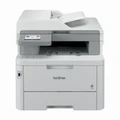
Brother MFC-L8390CDW Colour Laser Printer
30ppm Colour & Mono | Print | Copy | Scan | Fax | Auto Duplex | Dual-Band Wi-Fi | NFC | 3.5" Touchscreen
The Brother MFC-L8390CDW is a compact, professional-grade colour laser multifunction printer engineered for the demands of small to medium-sized workgroups that require consistent, high-speed output across print, copy, scan, and fax. Delivering up to 30 pages per minute in both colour and mono on A4, it combines a 50-sheet dual CIS auto-document feeder with automatic two-sided printing and scanning, dual-band Wi-Fi (2.4GHz and 5GHz), Gigabit Ethernet, NFC card reader, and a 3.5-inch colour touchscreen. With a recommended monthly volume of up to 4,000 pages and 512MB of onboard memory, the MFC-L8390CDW is built for teams that need reliable, professional colour output from a device that fits comfortably in a shared office environment. Its whisper-quiet LED imaging technology reduces operating noise without compromising throughput, making it a strong choice for open-plan offices and professional settings where minimal disruption matters.
The Brother MFC-L8390CDW uses TN-258 (standard yield), TN-258XL (high yield), and TN-259 toner cartridges — all available in black, cyan, magenta, and yellow, with bundle packs across all three series. Shop the full range of Brother toner cartridges at CartridgesDirect, with fast Australia-wide delivery on every order.
Key Features at a Glance
- Print, copy, scan, and fax in colour and mono from a single compact unit
- Up to 30ppm in both colour and mono (A4)
- Print resolution up to 600 x 600 dpi (2,400 dpi class quality)
- Automatic duplex (two-sided) printing, scanning, copying, and faxing as standard
- 50-sheet dual CIS ADF for high-speed two-sided document processing
- 280-sheet standard paper capacity: 250-sheet main tray plus 30-sheet multi-purpose tray
- 150-sheet face-down output tray
- 3.5-inch colour touchscreen LCD for streamlined navigation and job control
- Dual-band Wi-Fi (IEEE 802.11a/b/g/n — 2.4GHz and 5GHz), Gigabit Ethernet (10/100/1000Base-T), USB 2.0, Wi-Fi Direct, and NFC card reader
- AirPrint, Mopria, and Brother Mobile Connect app for mobile and proximity printing
- Three toner options: TN-258 standard yield (BK 1,000pp / CMY 1,000pp), TN-258XL high yield (BK 3,000pp / CMY 2,300pp), and TN-259 (BK 4,500pp / CMY 4,000pp) — all four colours, with bundle packs for each series
- Secure Function Lock v3, Active Directory, LDAP, Kerberos, SSL/TLS, IPsec, WPA3, and digitally-signed firmware
- Recommended monthly volume up to 4,000 pages; 512MB memory
- Quiet LED imaging engine — designed for open-plan office environments
- 12-month manufacturer's warranty
Full Technical Specifications
| Specification | Detail |
|---|---|
| Model | Brother MFC-L8390CDW |
| Part Number (AU) | MFC-L8390CDW |
| Printer Type | Colour LED Laser MFC |
| Functions | Print, Copy, Scan, Fax |
| Print Speed (Colour) | Up to 30ppm (A4) |
| Print Speed (Mono) | Up to 30ppm (A4) |
| Time to First Page | Approx. 12.5 seconds (colour and mono) |
| Print Resolution | Up to 600 x 600 dpi (2,400 dpi class quality) |
| Automatic Duplex Printing | Yes — automatic |
| Automatic Duplex Scanning | Yes — via dual CIS ADF |
| Copy Speed | Up to 30cpm (colour and mono) |
| Copy Resolution | Up to 600 x 600 dpi |
| Scanner Type | Flatbed + 50-sheet dual CIS ADF |
| Scan Resolution (Flatbed) | Up to 1,200 x 1,200 dpi |
| Scan Resolution (ADF) | Up to 600 x 600 dpi |
| Fax | Yes — ITU-T Super G3, colour fax capability |
| Fax Modem Speed | 33.6 Kbps |
| Fax Memory | Up to 500 pages |
| ADF Capacity | 50 sheets (dual CIS, duplex scanning) |
| Paper Input Trays | 1 x 250-sheet main tray + 1 x 30-sheet multi-purpose tray |
| Total Paper Capacity (Standard) | 280 sheets |
| Output Tray Capacity | 150 sheets (face-down) |
| Max Paper Size | A4 |
| Paper Sizes Supported | A4, A5, A6, B5 (JIS/ISO), B6, Letter, Legal, Executive, Folio, Envelopes (DL, C5, Com-10, Monarch) |
| Paper Weight (Main Tray) | 60–163 g/m² |
| Paper Weight (MP Tray) | 60–163 g/m² |
| Display | 3.5-inch (8.76cm) colour touchscreen LCD |
| Connectivity | USB 2.0, Gigabit Ethernet (10/100/1000Base-T), dual-band Wi-Fi (IEEE 802.11a/b/g/n — 2.4GHz & 5GHz), Wi-Fi Direct, NFC card reader |
| Mobile Printing | AirPrint, Mopria, Brother Mobile Connect app |
| Security | Secure Function Lock v3, Active Directory, LDAP, Kerberos, SSL/TLS, IPsec, WPA3, 802.1x (EAP-FAST/PEAP/EAP-TLS/EAP-TTLS), digitally-signed firmware, automatic intrusion detection, IP filtering, Secure Print, setting lock |
| Recommended Monthly Volume | Up to 4,000 pages |
| Memory | 512 MB |
| OS Support | Windows 10, Windows 11, Windows Server 2012–2022 |
| Power Supply | 220–240V AC, 50/60Hz |
| Power Consumption (Operating) | Approx. 620W |
| Power Consumption (Standby) | Approx. 70W |
| Power Consumption (Sleep) | Approx. 10W |
| Dimensions (W x D x H) | 410 x 462 x 401 mm |
| Weight | 21.9 kg |
| Warranty | 12 months manufacturer's warranty |
Compatible Toner Cartridges — TN-258, TN-258XL & TN-259 Series
The Brother MFC-L8390CDW is compatible with three toner cartridge series — TN-258 (standard yield), TN-258XL (high yield), and TN-259 — available in black, cyan, magenta, and yellow. Individual cartridges and bundle packs for all three series are in stock at CartridgesDirect.
Standard Yield Toner Cartridges — TN-258 Series
The TN-258 series suits lower-volume print environments or offices managing upfront cartridge costs. Available as individual cartridges or as a complete four-colour bundle pack.
| Colour | Part Number | Page Yield | Buy at CartridgesDirect |
|---|---|---|---|
| Black | TN-258BK | 1,000 pages | Brother TN258 Black Toner Cartridge |
| Cyan | TN-258C | 1,000 pages | Brother TN258 Cyan Toner Cartridge |
| Magenta | TN-258M | 1,000 pages | Brother TN258 Magenta Toner Cartridge |
| Yellow | TN-258Y | 1,000 pages | Brother TN258 Yellow Toner Cartridge |
| TN-258 Bundle Pack — 1 x Black, Cyan, Magenta, Yellow | Brother TN-258 Toner Cartridge Bundle Pack | ||
High Yield Toner Cartridges — TN-258XL Series — BEST VALUE
The TN-258XL series delivers significantly higher page yields than the standard TN-258 for a lower cost per page — the better choice for offices with regular daily print volumes. Available as individual cartridges or as a complete four-colour bundle pack.
| Colour | Part Number | Page Yield | Buy at CartridgesDirect |
|---|---|---|---|
| Black | TN-258XLBK | 3,000 pages | Brother TN258XL Black Toner Cartridge |
| Cyan | TN-258XLC | 2,300 pages | Brother TN258XL Cyan Toner Cartridge |
| Magenta | TN-258XLM | 2,300 pages | Brother TN258XL Magenta Toner Cartridge |
| Yellow | TN-258XLY | 2,300 pages | Brother TN258XL Yellow Toner Cartridge |
| TN-258XL Bundle Pack — 1 x Black, Cyan, Magenta, Yellow | Brother TN-258XL Toner Cartridge Bundle Pack | ||
TN-259 Toner Cartridges
The TN-259 series offers the highest page yield of the three options, suited to offices with consistent moderate-to-high monthly print volumes. At 4,500 pages for black and 4,000 pages per colour, it delivers the lowest cost per page of the three series. Available as individual cartridges or as a four-colour bundle pack.
| Colour | Part Number | Page Yield | Buy at CartridgesDirect |
|---|---|---|---|
| Black | TN259BK | 4,500 pages | Brother TN259 Black Toner Cartridge |
| Cyan | TN259C | 4,000 pages | Brother TN259 Cyan Toner Cartridge |
| Magenta | TN259M | 4,000 pages | Brother TN259 Magenta Toner Cartridge |
| Yellow | TN259Y | 4,000 pages | Brother TN259 Yellow Toner Cartridge |
| TN-259 Bundle Pack — 1 x Black, Cyan, Magenta, Yellow | Brother TN-259 Toner Cartridge Bundle Pack | ||
Compatibility note: The Brother MFC-L8390CDW uses the TN-258, TN-258XL, and TN-259 toner series. It is not compatible with TN-251, TN-255, TN-441, TN-443, or TN-446 toner cartridges. Always verify compatibility at time of purchase.
Drum and imaging unit note: The MFC-L8390CDW requires a separate drum unit (DR248CL), belt unit (BU229CL), and waste toner box (WT229CL) in addition to toner cartridges. These are separate consumables with their own replacement intervals. Contact CartridgesDirect for availability.
Brother MFC-L8390CDW vs MFC-L8900CDW: Which Model Is Right for Your Business?
The Brother MFC-L8390CDW and MFC-L8900CDW are both full-function colour laser multifunction printers offering print, copy, scan, and fax with automatic duplex and a 50-sheet ADF. The L8390CDW is the newer, more compact model, while the L8900CDW is the established workhorse with a slightly larger paper capacity. Both are aimed at professional workgroups requiring consistent colour output.
| Feature | MFC-L8390CDW | MFC-L8900CDW |
|---|---|---|
| Functions | Print, Copy, Scan, Fax | Print, Copy, Scan, Fax |
| Print Speed | Up to 30ppm (A4) | Up to 31ppm |
| Imaging Technology | LED | Laser |
| Paper Capacity (Standard) | 280 sheets | 300 sheets |
| ADF | 50-sheet dual CIS ADF | 50-sheet single-pass duplex ADF |
| Display | 3.5-inch colour touchscreen | 3.7-inch colour touchscreen |
| Wi-Fi | Dual-band (2.4GHz & 5GHz) | Single-band (2.4GHz) |
| Ethernet | Gigabit (1000Base-T) | Fast Ethernet (100Base-TX) |
| NFC | Yes | No |
| Toner Cartridges | TN-258, TN-258XL, TN-259 — all four colours | TN-441, TN-443, TN-446 |
| Recommended Monthly Volume | Up to 4,000 pages | Up to 2,000 pages |
| Security | Secure Function Lock v3, WPA3, Active Directory, LDAP, IPsec | Secure Function Lock, Active Directory, LDAP, IPsec |
| Part Number (AU) | MFC-L8390CDW | MFC-L8900CDW |
The Verdict
The MFC-L8390CDW is the stronger choice for offices that prioritise network connectivity — dual-band Wi-Fi, Gigabit Ethernet, and NFC authentication put it ahead of the L8900CDW on modern infrastructure. Its higher recommended monthly volume (up to 4,000 pages vs 2,000 pages) makes it better suited to busier workgroups. The L8900CDW offers a slightly larger paper tray and a marginally faster rated speed, which may suit environments with high paper throughput. Both models deliver full MFC functionality with fax; the deciding factor is whether newer connectivity and a higher monthly volume ceiling matter more than an extra 20 sheets of tray capacity. The two printers use different toner series — ensure you order TN-258, TN-258XL, or TN-259 for the L8390CDW, and TN-441/TN-443/TN-446 for the L8900CDW. Both ranges are available from CartridgesDirect.
Who Is the Brother MFC-L8390CDW Best Suited For?
The MFC-L8390CDW is designed for professional workgroups that need colour output, a full set of MFC functions, and reliable throughput from a compact device that fits naturally into a connected office environment.
Small to Medium Business
For SMEs running between five and fifteen staff, the MFC-L8390CDW provides a single device that handles the full range of daily document tasks — printing, scanning, copying, and faxing — without requiring multiple machines. Its compact footprint, dual-band Wi-Fi, and Gigabit Ethernet make it straightforward to integrate into any shared network environment.
Marketing and Creative Teams
Teams producing colour presentations, client proposals, brand materials, and internal reports need consistent, accurate colour reproduction. The MFC-L8390CDW's LED imaging engine and 2,400 dpi class resolution deliver sharp, professional output across all four colour channels — suitable for client-facing documents that need to reflect the quality of the work they represent.
Real Estate Agencies
Real estate offices depend on colour printing for property listings, brochures, and marketing collateral, as well as fax for contract transmission. The MFC-L8390CDW covers all of these from one device, with the speed and paper capacity to handle a high-turnover branch environment without becoming a bottleneck during peak periods.
Medical and Allied Health
Clinics and allied health practices require reliable document output for patient records, referrals, and administrative correspondence. The MFC-L8390CDW's security stack — Secure Function Lock v3, LDAP authentication, and NFC card reader access — supports document confidentiality requirements, while the dual CIS ADF keeps scanning workflows moving without manual document handling.
Accounting and Financial Services
Accountants and financial advisers handle large volumes of reports, statements, and client correspondence. The MFC-L8390CDW's ability to print, scan, copy, and fax from a single networked device — combined with Active Directory integration, IPsec, and SSL/TLS — makes it a practical fit for professional services firms that operate within structured IT environments.
Legal Offices
Legal practices rely on fax transmission, high-volume document production, and scan-to-network workflows for case file management. The MFC-L8390CDW's Super G3 fax, 50-sheet duplex ADF, and Gigabit Ethernet connectivity address all three requirements, and the recommended monthly volume of up to 4,000 pages provides the headroom needed in a busy legal office.
Education
Schools and training institutions printing course materials, administrative documents, and correspondence in colour benefit from the MFC-L8390CDW's output speed and quiet operation. The combination of dual-band Wi-Fi and Gigabit Ethernet ensures the printer integrates cleanly into institutional network environments, and NFC authentication supports user-level access control where required.
Technology and Digital-First Offices
Organisations with modern IT infrastructure benefit from the MFC-L8390CDW's dual-band Wi-Fi, Gigabit Ethernet, and NFC card reader — connectivity options not available on older Brother colour laser models. Digitally-signed firmware and WPA3 wireless security align with the security posture expected in technology-focused businesses.
Why Choose the Brother MFC-L8390CDW?
At 30 pages per minute in both colour and mono, the MFC-L8390CDW matches the pace of a working office without requiring jobs to be batched or deferred. The 50-sheet dual CIS ADF handles two-sided originals in a single pass — scanning, copying, and processing both sides simultaneously — which meaningfully reduces the time spent on high-volume document workflows. The LED imaging engine operates more quietly than a conventional laser, making the MFC-L8390CDW a practical choice for open-plan offices and client-facing spaces where operating noise is a consideration. First page out in approximately 12.5 seconds means the printer is ready when the team is, rather than warming up mid-workflow.
Connectivity on the MFC-L8390CDW is a step ahead of previous-generation Brother colour laser models. Dual-band Wi-Fi (2.4GHz and 5GHz) and Gigabit Ethernet provide the bandwidth and network flexibility to handle shared office printing reliably, while NFC card reader authentication allows organisations to implement user-level access controls without additional hardware. Three toner series are available for the MFC-L8390CDW: TN-258 standard yield (1,000pp across all four colours) for lower-volume environments, TN-258XL high yield (3,000pp black / 2,300pp colour) for a reduced cost per page on regular print runs, and TN-259 (4,500pp black / 4,000pp colour) for the highest yield and lowest cost per page at full monthly capacity. Bundle packs are available for all three series. At a recommended monthly volume of up to 4,000 pages, the MFC-L8390CDW is sized for the kind of consistent daily demand that a shared team printer faces.
Security across the MFC-L8390CDW is comprehensive for a device in this class: Secure Function Lock v3, Active Directory and LDAP integration, IPsec and SSL/TLS data encryption, WPA3 wireless security, 802.1x network authentication, and digitally-signed firmware that protects against unauthorised updates. The 12-month manufacturer's warranty provides reliable coverage for a device expected to perform consistently under daily office load. For genuine brother toner cartridges with fast Australia-wide delivery, CartridgesDirect carries the full TN-258, TN-258XL, and TN-259 range — browse the complete selection of brother printer cartridges online.
Order toner for the Brother MFC-L8390CDW today. CartridgesDirect stocks the full TN-258, TN-258XL, and TN-259 ranges — black, cyan, magenta, and yellow, with bundle packs across all three series — with fast Australia-wide delivery on all orders.
Product specifications subject to change without notice. Page yields are based on ISO/IEC 19798 at 5% coverage per colour. Images are representative only. All prices and availability are subject to confirmation at time of order. Always verify toner model compatibility at time of purchase. Brother part number: MFC-L8390CDW.
Product Type: |
Laser MFC Printer |
Technology: |
LED |
Functions: |
Print, Copy, Scan, Fax |
Brand: |
Brother |
Output: |
Colour |
Max Paper Size: |
A4 |
WIFI: |
Yes |
Pages per Minute: |
21-50ppm |
Duplex Print: |
Yes |
Auto Doc Feeder Capacity: |
Yes |
Connectivity: |
Ethernet, Wifi, USB Port |
Duplex Scan: |
Yes |
SKU: |
MFC-L8390CDW |
Warranty: |
12 Months Manufacturers |
Warranty
We want you to buy with confidence. The conditions below explain how warranty, faults and returns work for each type of product we sell. Every return starts the same way: log in to your customer account, open the relevant order and click Return, or call us on 03 9793 2655. If you are unsure whether an item can be returned, please contact us before sending anything back.
All purchases are also covered by your rights under the Australian Consumer Law. The conditions below are in addition to those rights, not instead of them.
1. Genuine Printer Cartridges (Ink & Toner)
Genuine, manufacturer-branded ink and toner carry the original manufacturer's warranty. If a genuine cartridge is faulty we will help you return it, but most manufacturers require their own checks before a credit or replacement is approved.
What you need to know
- Faulty or incorrectly supplied genuine cartridges can be returned for a store credit or refund. We cover the freight on faulty or incorrectly supplied product.
- Incorrectly supplied items must be reported within 30 days of receipt. Items damaged in transit must be reported within 14 days of receipt.
- Most faulty cartridge claims are sent to the manufacturer (or our supplier) for testing. The outcome of that test decides whether the claim is approved.
- Cartridges that have been refilled, remanufactured or tampered with will void the warranty and will not be accepted.
Manufacturer-specific conditions
- Brother: Faulty claims go to Brother Australia for evaluation. Send a print sample, a copy of the original tax invoice or proof of purchase, and a printer configuration report with all toner and drum returns. If Brother rejects the claim you'll need to collect the item(s) from us. Thermal transfer rolls are replaced only. The process can take up to 8 weeks.
- Canon: Items must meet Canon's minimum return weight. Ink cartridges are tested against the fault claimed; toner cartridges must include a test page showing the fault, or the claim will be rejected. All items are checked for refilling, remanufacturing and tampering.
- Epson: Epson inks carry a 6-month warranty from the date of the original invoice. Empty cartridges are not accepted for credit, and only genuine Epson product is accepted (compatibles are not).
- HP: HP will not accept expired, refilled or remanufactured ink cartridges. Ink is checked against HP's minimum return weight; below that weight HP classifies it as empty. Toner requires a print sample of the fault.
- Fuji Xerox, IBM, Oki, Samsung: Toner returns must include a print sample of the fault to be accepted.
- Konica Minolta & Lexmark: Return faulty items with a print sample and/or a description of the fault. Items are weighed and tested by our supplier and a credit is issued accordingly.
- Kyocera: We accept faulty consumables back for testing by our technician. For dead-on-arrival or faulty hardware, contact Kyocera directly on 1300 658 348 for repair or replacement.
- Panasonic: Used fax rolls cannot be returned for confidentiality reasons. For toner or drum assessment, Panasonic require three things: a sample of what the product is doing, the meter reading when it was installed, and the meter reading when it faulted. All three must be supplied or the claim is denied.
- Sharp: Faulty toners and drums are checked by our supplier and need specific detail on the fault, or the claim will be rejected.
Not sure if it's actually a fault? A quick call to the manufacturer's technical support often resolves the issue. If you'd like help, get in touch.
2. Compatible Printer Cartridges (Ink & Toner)
Our compatible (non-OEM) cartridges are covered by our own quality guarantee. If a compatible cartridge is faulty, we handle the claim directly rather than sending it to the printer manufacturer.
What you need to know
- Faulty compatible cartridges can be returned for a store credit, replacement or refund. We cover the freight on faulty or incorrectly supplied product.
- Report faults on incorrectly supplied items within 30 days of receipt, and transit damage within 14 days.
- For toner faults, please supply a print sample of the problem so we can assess the claim quickly.
- Compatible products are not accepted as part of a manufacturer (genuine) returns process — warranty on a compatible is with CartridgesDirect, not the printer brand.
- Using a compatible cartridge does not void your printer's warranty. If a printer fault is ever attributed to one of our compatibles, contact us and we'll sort it out.
If you have a question about a compatible cartridge before returning it, please contact us first — we can often diagnose the issue without a return.
3. Printers, Scanners & Accessories
Hardware is sold under a strict dead-on-arrival (DOA) policy and is then covered by the manufacturer's warranty.
What you need to know
- All printers are sold under a strict DOA (dead on arrival) policy. Any fault must be reported within 30 days of receipt. There are no exceptions to this.
- Within the DOA period, a faulty printer can be returned at our expense. After the 30-day DOA period, the manufacturer must be contacted and an authorisation letter granted before the item can be returned, and the printer must be returned at your expense.
- Transit damage must be reported within 14 days of receipt.
- For dead-on-arrival or faulty hardware, some brands (for example Kyocera on 1300 658 348) ask you to contact them directly for repair or replacement — we'll point you in the right direction.
- Change-of-mind or incorrectly ordered hardware is covered by the change-of-mind conditions below.
4. Office Supplies
Office supplies (paper, tapes, adhesives, writing instruments, filing, calculators and other accessories) can be returned if faulty or incorrectly supplied, subject to the general conditions below.
What you need to know
- Faulty or incorrectly supplied office supplies can be returned for a store credit or refund, with freight covered by us.
- Report incorrectly supplied items within 30 days of receipt and transit damage within 14 days.
- Change-of-mind and incorrectly ordered office supplies follow the change-of-mind conditions below, and must be unopened and in original, undamaged packaging.
- Some hygiene- or confidentiality-sensitive consumables cannot be accepted back once opened. If in doubt, ask us before returning.
General Conditions (All Products)
Faulty or incorrectly supplied items
- Free returns apply only to products that are faulty or incorrectly supplied. These are returned for a store credit or refund, and we cover the associated freight.
- Incorrectly supplied items must be reported within 30 days of receipt; transit-damaged items within 14 days.
- Orders being refunded are not eligible for free shipping.
Change of mind / incorrectly ordered
- Items ordered incorrectly or no longer needed attract a 20% restocking fee.
- They must be in original, unopened and undamaged packaging.
- They must be returned at your expense (unless otherwise agreed) within 30 days of purchase — or up to 90 days for no-longer-needed items, again at your expense and with the 20% restocking fee applied.
- Opened or incorrectly ordered items may be refused.
Refunds & credits
- Once a return is approved and processed, a store credit (or refund, if agreed) is issued no later than 7 days after we receive the product.
- Refunds are issued to your original payment method unless otherwise agreed.
How to start a return
Log in to your online customer account, open the order the product relates to, and click Return. Fill in the required details and our team will authorise the return and handle the rest. For urgent help, call 03 9793 2655.
Still have a question about warranty or returns? Contact our team — we're happy to help before you send anything back.


![Brother TN-259 Toner Cartridge Bundle Pack - Includes [1x Black, Cyan, Magenta, Yellow]](https://cdn11.bigcommerce.com/s-zl6rum04um/images/stencil/590x590/products/20460/35956/TN259_1xCMYK__12695.1728261965.png?c=1 "Brother TN-259 Toner Cartridge Bundle Pack - Includes [1x Black, Cyan, Magenta, Yellow]")