



Why is My Printer Ink Smudging? — Key Tips & Solutions
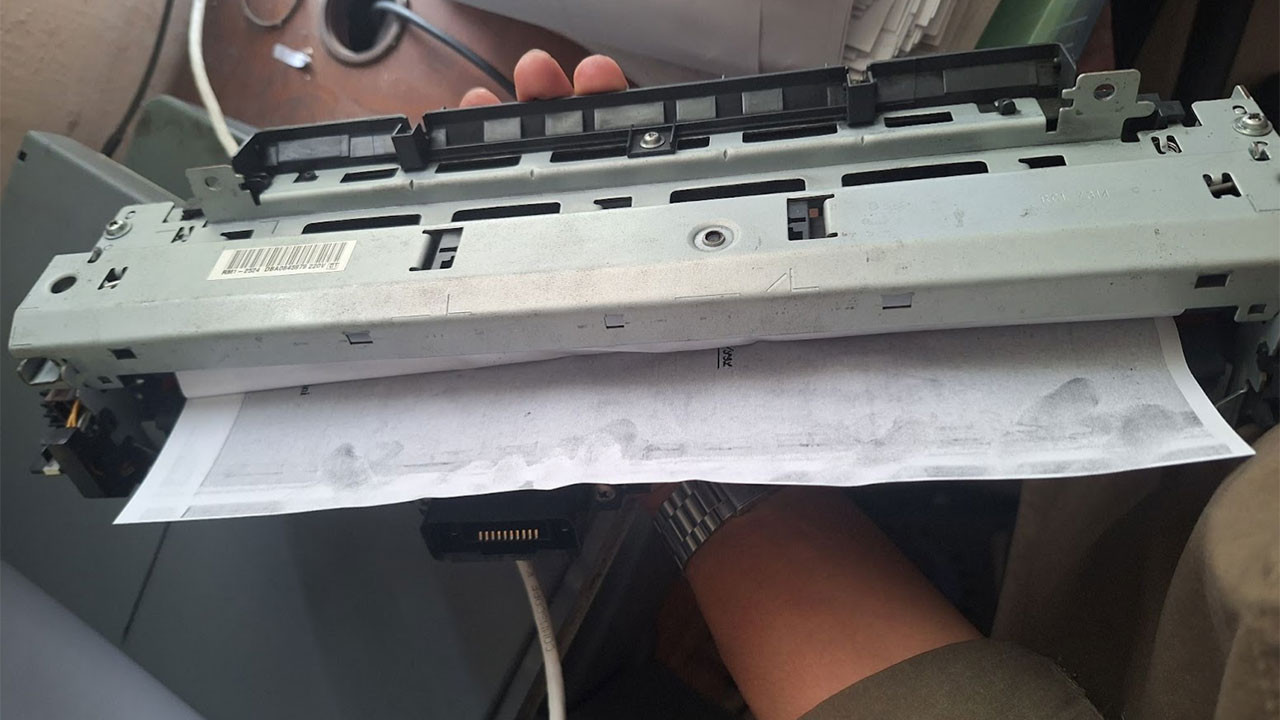
If your prints keep coming out smeared, streaky, or wet to the touch, then you are not alone. Ink smudging is one of the most common frustrations faced by both home and office printer users, and it can affect any type of printer, whether it’s an inkjet, laser, or sublimation printer.
The good news is that most smudging has clear causes and straightforward fixes.
Before you replace your printer or waste even more paper, it is worth understanding what may actually be causing the problem. We have broken down some of the most common reasons your printer ink may be smudging and key solutions to help get your prints looking crisp, clean, and dry again.
What Causes Printer Ink Smudging?
Printer ink smudging, while a frustrating issue, is more commonplace than you might think, and understanding its causes is crucial to finding a solution and avoiding it in the future.
Here are some of the most common reasons why your printer’s ink may be smudging on your paper.
Toner Cartridge Issues
The toner cartridge is one of the most important pieces in your printer, critical to both your print quality and output. Using the incorrect type of toner can easily lead to printer malfunctions, and any defects or issues with the cartridge itself can lead to smudging, smearing, and even damage over time.
Each printer model requires a specific type of cartridge in order to work properly, so check and make sure you are using the appropriate type of toner and ink cartridges. Using an incompatible cartridge can lead to smudging, so be sure to only ever use premium, first-party toner and ink from your printer’s brand or compatible cartridges in your device.
Improper Toner Fusion
Ink smudging can also occur due to a toner cartridge fusion error. Fusing is the process by which toner bonds to paper using heat and pressure. If the fuser unit fails to operate correctly, then the toner may not adhere properly to your printing medium, resulting in leakage and smudged ink.
This may be due to a mechanical issue, such as a faulty or worn-out fuser unit, which can sometimes affect laser printers. A worn or damaged fuser cannot generate enough heat to properly fuse with the toner, causing it to smear across the paper when it passes through the unit.
An error with fuser temperature settings can also sometimes cause ink smudging. If the fuser temperature is set too low, then the toner can smudge or rub off easily. This can happen due to improper settings or a manufacturing problem, so it is usually best to leave your printer on its default operating settings.
Roller & Drum Unit Problems
Smudging can also be the result of other underlying mechanical issues impacting your printer. The rollers and drum unit of an inkjet printer, for example, are responsible for transferring toner onto the paper. If either part is damaged or dirty, it can cause smears and smudging, too.
If the transfer rollers are dirty or worn out, then they won’t feed paper properly through the device, which can cause toner to smudge when printing. A damaged or scratched drum can lead to uneven toner distribution across paper, often resulting in smudges or ghosting on prints.
If you're experiencing frequent smudging and paper jams, then there may be an issue with your roller and drum unit that needs fixing.
Paper Issues
The type and quality of paper you use in a printer can also have a significant impact on your print quality. Using incompatible, low-quality, or cheap glossy paper may not allow the toner to fuse properly, leading to ink smudges and other problems.
This is why you should only use high-grade premium paper built to withstand the heat and pressure required for laser and inkjet printing. Not only will shoddy paper ruin your photocopies, but it can ruin your printer, too.
Key Tips & Solutions to Prevent Printer Ink Smudging
Using high-quality ink, toner, and paper is just one way to prevent ink smudging, but regular maintenance and upkeep of your printer is the key. Keeping your printer clean and ensuring proper storage conditions will help you avoid unwanted smudging and ensure crisp, clear prints for a long time.
Regular Maintenance
Proper maintenance is the true first line of defence against ink smudging. Keeping your printer components clean and well-lubricated will help prevent your toner from smearing and your paper from getting stuck.
Regular cleaning of the rollers and drum will help ensure proper toner fusion and adhesion. When the drum starts showing signs of wear, it may be time to replace it to avoid further smearing issues.
Follow the manufacturer’s printer troubleshooting and cleaning guidelines to avoid damaging the fuser after frequent use and get the most out of your device.
Keep the Printer in an Optimal Environment
Environmental conditions like temperature and humidity can also affect toner adhesion and contribute to ink smudging. Ensure your printer is placed in a dry, cool room with controlled temperature and humidity to avoid issues like ink smudging and corrosion.
Likewise, make sure your printer is stabilised and standing on a flat surface when setting up your office. An uneven placement can cause wet ink to slant and drip, which can also cause unwanted smudging to occur.
Adjust Printer Settings
Adjusting your printer settings can also help address ink smudging. Incorrect settings may apply excess toner or heat, causing smudges and botched jobs.
Reducing the print density can help prevent excess toner application, minimising the risk of toner smearing. Slowing down the printing speed process can also help give the fuser more time to bond the toner to the paper, thus reducing smudging and inconsistent printouts.
If your printer’s settings seem like they may be causing more trouble than good, then you may want to consider resetting the device to factory settings in case that may help.
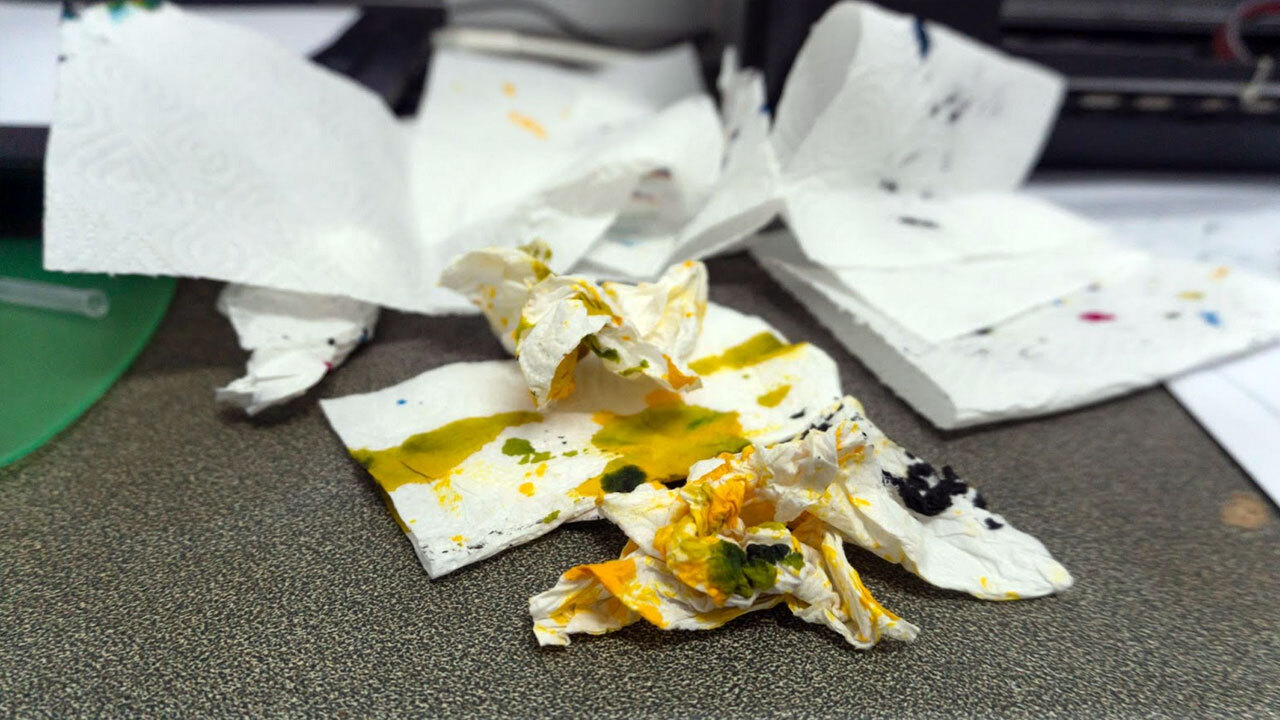
Keep Your Printer Running Smoothly & Smudge-Free
Ink smudging can be annoying, but in most cases, it is completely preventable with the right care, equipment, and setup. By using high-quality cartridges and paper, keeping your printer clean, and ensuring its environment and settings are optimised, you can dramatically reduce the risk of smudging and keep every print looking sharp.
If smudging continues even after troubleshooting, then it may be time to replace a worn component or consult a professional. Addressing the issue early on will help keep your printer performing at its best and extend the life of your device.
For all your questions and concerns about printers and printing essentials, get in touch with the team at CartridgesDirect to explore the solutions available to you!
Explore Popular Articles
-
OKI MC554dnw vs. Competitors: 2026 Office Printer Comparison
30th Jan 2026OKI MC554dnw vs. Competitors: 2026 Office Printer Comparison The OKI MC554dnw is designed to replac
-
Essential Maintenance Tips for Sublimation Printers
23rd Jan 2026Sublimation printers are powerful tools capable of creating vibrant, long-lasting prints. But like a
-
Why Is My Printer Printing Blank Pages?
22nd Jan 2026What a head scratcher — your desktop printer is printing blank pages! Whether it’s a last-minute wor